
Best Monochrome Laser Printers in 2026: 15 Picks Compared on Specs
The Brother HL-L2460DW is our top pick for most monochrome laser printer buyers because it combines automatic duplex printing with wireless and mobile printing in a compact footprint. This guide compares 15 models from a pool of 33, focusing on connectivity, duplexing, all-in-one features, and speed. Prices are live from the store listings and no units were tested.
15 picks from 60 printers that match this guide with a price we can quote today, made by 18 makers. The prices below are current and each carries its read time.
Quick picks
The best fit for you
- For a home office with occasional printing: Duplex printing and wireless are enough; you don't need a scanner or fax. See pick 1
- For a small business that needs scanning and faxing: An all-in-one with fax, scanner, and copier is essential, plus reliable wireless. See pick 2
- For a large workgroup with high monthly volume: High-speed printing and heavy-duty construction matter more than compact size. See pick 13
- For students on a budget: A basic duplex wireless printer that won't break the bank or the desk. See pick 8
Our 15 picks
1 Best overall

Brother HL-L2460DW Wireless Compact Monochrome Laser Printer with Duplex
- Type
- Laser
- Color
- Monochrome
- Wireless
- Yes
- Two-sided printing
- Yes
$179.99 price as of 2026-10-06 04:58 UTC (Details)
The Brother HL-L2460DW strikes the best balance for home and small office use with automatic duplex printing, wireless connectivity, and a small footprint. It is one of the few picks that includes duplex and wireless without adding a scanner or fax, keeping the focus on reliable printing.
Pros
- Automatic duplex (two-sided) printing
- Wireless and mobile printing support
- Compact design fits easily on a desk
- From a major printer maker with a solid track record
Cons
- Print-only model: no scanner, copier, or fax
- Ethernet port not stated in the listing
Good fit if
- Home offices that need duplex and wireless without extra functions
- Users who want a compact, dependable monochrome printer
Skip if
- You need scanning or copying capabilities
- Your office relies on wired Ethernet connections
Verdict: A well-rounded monochrome laser printer that covers the essentials efficiently.
2 Best all-in-one

Canon imageCLASS MF275dw
- Type
- Laser
- Color
- Monochrome
- Prints, scans and copies
- Yes
- Wireless
- Yes
- Two-sided printing
- Yes
- Fax
- Yes
$229.99 price as of 2026-10-06 05:01 UTC (Details)
The Canon imageCLASS MF275dw packs a scanner, copier, fax, duplex, and wireless into one unit, making it the most feature-complete pick for small businesses. It also includes an automatic document feeder for multi-page scanning and copying, as implied by its all-in-one designation.
Pros
- Scanner, copier, and fax in one device
- Duplex printing and auto document feeder noted in name
- Wireless and mobile printing
- Space-saving all-in-one design
Cons
- Larger footprint than single-function printers
- Toner and maintenance costs may be higher due to multiple functions
Good fit if
- Small offices that need occasional scanning and faxing
- Users who want one device for print, copy, and scan
Skip if
- You only need printing and want to save space
- Your workplace has low scanning volume
Verdict: A versatile all-in-one that handles a wide range of office tasks with ease.
3 Best for basic office printing
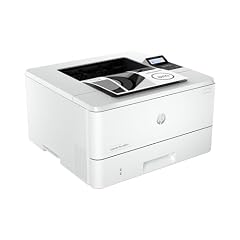
HP LaserJet Pro 4001n Black & White Printer
- Type
- Laser
- Color
- Monochrome
$379.00 price as of 2026-10-05 20:56 UTC (Details)
The HP LaserJet Pro 4001n is a straightforward monochrome printer that focuses on reliable output for a shared office. It does not include duplex or wireless, but it offers a simple, wired connection for a workgroup that already has Ethernet infrastructure.
Pros
- Simple design with no unnecessary features
- Wired Ethernet connectivity for shared use
- Reliable HP brand and service network
- Compact enough for a shared desk
Cons
- No automatic duplex printing
- No wireless option in this model
- No all-in-one capabilities
Good fit if
- Offices with existing wired network and Ethernet drops
- Users who rarely need two-sided printing
Skip if
- You need wireless printing from laptops or phones
- You regularly print double-sided documents
Verdict: A no-frills workhorse for environments where simplicity and network reliability come first.
4 Best for mobile printing

Xerox B230 Wireless Black and White Laser Printer
- Type
- Laser
- Color
- Monochrome
- Wireless
- Yes
$169.99 price as of 2026-10-05 20:57 UTC (Details)
The Xerox B230 is a compact, wireless monochrome printer that emphasizes easy printing from smartphones and tablets. It lacks duplex, but its small footprint and mobile-friendly features make it a great pick for users who print mostly single-sided pages from personal devices.
Pros
- Wireless connectivity for mobile and laptop printing
- Compact and lightweight design
- Easy setup with smartphone apps
- Budget-friendly positioning in the pool
Cons
- No automatic duplex printing
- No Ethernet port listed
- Single-function printer only
Good fit if
- Students or home users who print from phones
- Small spaces where a compact printer is essential
Skip if
- You need scanning or copying functions
- You frequently print two-sided documents
Verdict: A simple wireless printer that moves documents from your pocket to paper with minimal fuss.
5 Best for connectivity options

Lexmark MS431dw Black and White Laser Printer
- Type
- Laser
- Color
- Monochrome
- Wireless
- Yes
- Two-sided printing
- Yes
$379.00 price as of 2026-10-05 20:57 UTC (Details)
The Lexmark MS431dw offers both wireless and Ethernet connectivity, plus automatic duplexing, making it a versatile choice for users who need flexible printing from multiple devices. It also includes cloud and mobile-friendly features, as noted in the listing.
Pros
- Duplex printing standard
- Wireless and Ethernet connections
- Mobile-friendly and cloud printing support
- Sturdy build for office use
Cons
- No all-in-one functionality
- No fax or scanning capabilities
Good fit if
- Offices that need both wired and mobile printing
- Users who want a reliable, feature-rich single-function printer
Skip if
- You need a scanner or copier
- You have a very small desk and prioritize footprint over features
Verdict: A connectivity powerhouse that keeps your print jobs flowing through any network type.
6 Best for print speed

KYOCERA ECOSYS P2235dw Monochrome Laser Printer
- Type
- Laser
- Color
- Monochrome
- Wireless
- Yes
- Two-sided printing
- Yes
$429.48 price as of 2026-10-05 20:57 UTC (Details)
The KYOCERA ECOSYS P2235dw has a stated print speed of 37 ppm and 1200 dpi output. It includes duplex, wireless, and Gigabit Ethernet, making it a dependable office workhorse.
Pros
- Print speed of 37 ppm
- Duplex printing with high resolution (1200 dpi)
- Gigabit Ethernet and wireless
- ECOSYS technology for long-life components
Cons
- No all-in-one or fax functions
- May be overkill for light home use
Good fit if
- Busy small offices with high monthly print volumes
- Users who need crisp black text at high speed
Skip if
- You rarely print more than a few pages a day
- You need scanning or copying capabilities
Verdict: A speed-focused printer that keeps up with a demanding workgroup.
7 Best for small business

Brother MFC-L2820DW Wireless Compact Monochrome All-in-One Laser Printer
- Type
- Laser
- Color
- Monochrome
- Prints, scans and copies
- Yes
- Wireless
- Yes
- Two-sided printing
- Yes
- Fax
- Yes
$169.99 price as of 2026-10-06 04:58 UTC (Details) Typical price: $204.99, 17% off
The Brother MFC-L2820DW combines a printer, scanner, copier, and fax into a compact wireless unit with duplex printing. It offers the all-in-one convenience that small businesses need, plus automatic duplexing and mobile connectivity.
Pros
- All-in-one: print, scan, copy, fax
- Duplex printing standard
- Wireless and mobile printing
- Compact form factor for office desks
Cons
- No Ethernet connectivity specified
- Fax features may be unnecessary for some users
Good fit if
- Small offices that need a multifunction device
- Users who want a single device for all document tasks
Skip if
- You prefer wired Ethernet for network printing
- You need faster print speeds than a typical all-in-one
Verdict: A balanced all-in-one that covers the essential office jobs without taking over the desk.
8 Best for students

Canon imageCLASS LBP122dw
- Type
- Laser
- Color
- Monochrome
- Wireless
- Yes
- Two-sided printing
- Yes
$109.00 price as of 2026-10-06 05:01 UTC (Details)
The Canon imageCLASS LBP122dw is a budget-friendly, wireless monochrome printer with duplex printing, making it ideal for students who need to print assignments at home. It is compact and easy to set up, and it avoids the extra costs of an all-in-one.
Pros
- Affordable option in the pool
- Wireless and duplex printing
- Compact size for dorm rooms or small apartments
- Simple setup with mobile apps
Cons
- No scanner or copier
- No Ethernet port listed
Good fit if
- Students and home users who print occasionally
- Users who want a reliable printer without extra features
Skip if
- You need to scan or copy documents regularly
- Your network uses wired connections only
Verdict: A practical, no-frills printer that gets the job done at a student-friendly price point.
9 Best for home office

HP LaserJet Pro M203dw Wireless Monochrome Printer
- Type
- Laser
- Color
- Monochrome
- Wireless
- Yes
- Two-sided printing
- Yes
$489.89 price as of 2026-10-05 20:56 UTC (Details)
The HP LaserJet Pro M203dw is a well-rounded monochrome printer with duplex and wireless capabilities, making it a solid upgrade for a home office. It includes Ethernet as well, providing flexibility for both Wi-Fi and wired setups.
Pros
- Duplex printing and wireless
- Built-in Ethernet for wired networks
- Compact design with an easy-to-use interface
- Works with voice assistants like Alexa (noted in name)
Cons
- No all-in-one functions
- No fax or scanner
Good fit if
- Home offices that need both wireless and wired printing
- Users who print a mix of single- and double-sided documents
Skip if
- You need a scanner or copier
- You want a very small footprint with no wired networking
Verdict: A dependable home office printer that covers the essentials with room to grow.
10 Best for business printing

Brother HL-L5210DN Business Monochrome Laser Printer
- Type
- Laser
- Color
- Monochrome
- Two-sided printing
- Yes
$329.99 price as of 2026-10-06 04:58 UTC (Details)
The Brother HL-L5210DN is a business-grade monochrome laser printer with automatic duplex and versatile paper handling, designed for high-volume printing in a busy office. It lacks wireless, but its Ethernet connection ensures stable network printing.
Pros
- Automatic duplex printing
- Versatile paper handling for different media types
- Ethernet connectivity for shared use
- Robust build for daily office workloads
Cons
- No wireless connectivity
- No all-in-one features
Good fit if
- Offices with wired network infrastructure
- Workgroups that print reports, letters, and forms
Skip if
- You need to print from mobile devices over Wi-Fi
- You want a single device for print, scan, and fax
Verdict: A workhorse printer that focuses on printing reliability where it matters.
11 Best for enterprise

HP LaserJet Enterprise M507dn Monochrome Printer
- Type
- Laser
- Color
- Monochrome
- Two-sided printing
- Yes
$878.90 price as of 2026-10-05 20:56 UTC (Details)
The HP LaserJet Enterprise M507dn is built for corporate environments with duplex and Ethernet, but it omits wireless for security reasons. It is part of HP's enterprise line, designed for high-volume, demanding use.
Pros
- Automatic duplex printing
- Ethernet connectivity with advanced security features
- Enterprise-grade durability and support
- Suitable for large workgroups
Cons
- No wireless connection option
- Premium pricing reflects enterprise features
Good fit if
- Large companies with managed print fleets
- Corporations that prioritize network security
Skip if
- You need a wireless printer for a small team
- Your office does not have an Ethernet network
Verdict: A secure, high-volume printer for organizations that demand reliability and control.
12 Best for multifunction wireless

Xerox B235DNI Wireless Black and White Laser All-in-One Printer
- Type
- Laser
- Color
- Monochrome
- Prints, scans and copies
- Yes
- Wireless
- Yes
$229.99 price as of 2026-10-05 20:57 UTC (Details)
The Xerox B235DNI combines scanning, copying, and printing with wireless and Ethernet connectivity, plus an automatic document feeder for multi-page jobs. It is a compact all-in-one that fits well in a small office.
Pros
- All-in-one: print, scan, copy
- Wireless and Ethernet connectivity
- Automatic document feeder (implied by name 'DNI')
- Mobile printing support
Cons
- No fax capability
- Print speed not stated in listing
Good fit if
- Small offices that need a wireless all-in-one
- Users who copy or scan multi-page documents
Skip if
- You require fax functionality
- You need very high print speeds
Verdict: A versatile wireless all-in-one that covers the essentials with room to expand.
13 Best for high volume

Brother Professional Laser Printer All-in-One with Scanner and Copier
- Type
- Laser
- Color
- Monochrome
- Prints, scans and copies
- Yes
- Wireless
- Yes
- Two-sided printing
- Yes
$589.99 price as of 2026-10-06 04:59 UTC (Details)
The Brother Professional Laser Printer All-in-One is a monochrome multifunction device with a stated print speed of 50 ppm, among the highest in this list. It includes duplex, wireless, and a scanner and copier for large workgroups.
Pros
- Print speed of 50 ppm
- All-in-one with scanner and copier
- Duplex printing and wireless
- Designed for heavy-duty use
Cons
- Larger and heavier than most picks
- May be overkill for small teams
Good fit if
- Departments with high monthly print volumes
- Offices that need fast copying and printing
Skip if
- You have a small desk or limited space
- Your printing needs are light
Verdict: A high-capacity machine that keeps up with the busiest workloads.
14 Best for large workloads

Canon imageCLASS D1620
- Type
- Laser
- Color
- Monochrome
- Prints, scans and copies
- Yes
- Wireless
- Yes
- Two-sided printing
- Yes
$429.00 price as of 2026-10-06 05:01 UTC (Details)
The Canon imageCLASS D1620 is an all-in-one monochrome printer designed for heavy use, with duplex, wireless, and an automatic document feeder for scanning and copying large batches. It offers a balance of speed and functionality for a busy office.
Pros
- Duplex printing and auto document feeder
- Wireless and Ethernet connectivity
- Multifunction: print, scan, copy
- Sturdy construction for frequent use
Cons
- No fax function
- May be larger than desktop-oriented models
Good fit if
- Offices that handle high volumes of documents
- Users who need to scan and copy multi-page files
Skip if
- You only print occasionally
- You require fax capability
Verdict: A reliable all-in-one that stands up to demanding daily use.
15 Best for heavy duty

HP LaserJet Enterprise M608n Monochrome Printer with Built-in Ethernet
- Type
- Laser
- Color
- Monochrome
$1,229.00 price as of 2026-10-05 20:56 UTC (Details)
The HP LaserJet Enterprise M608n is a high-volume monochrome printer without duplex or wireless, but it excels at sheer output volume for large workgroups. It is designed for environments that print thousands of pages a month with minimal downtime.
Pros
- High monthly duty cycle for heavy printing
- Ethernet connectivity for shared use
- Enterprise-grade reliability
- Compact for its capacity
Cons
- No automatic duplex printing
- No wireless or all-in-one functions
Good fit if
- Large departments with constant printing demands
- Organizations that prioritize uptime over extra features
Skip if
- You need two-sided printing
- Your office uses Wi-Fi printing exclusively
Verdict: A pure printing machine built for nonstop operation in a busy enterprise.
Specifications side by side
How the picks were chosen
We reviewed 33 monochrome laser printers from the pool and shortlisted 15 by prioritizing automatic duplexing, wireless and Ethernet options, and all-in-one capabilities, while removing near-duplicates from the same brand. We selected models from established makers such as Brother, Canon, HP, Xerox, Lexmark, and KYOCERA. All specifications come from the seller listings and manufacturer pages; none of these printers were tested or used by us. Prices are shown live on this page and were read from the store at the time of writing, so they may change. Our recommendations are based solely on stated specs and public standards like IPP Everywhere and Mopria for connectivity.
Picking the right one for you
Duplex printing: worth the feature
Automatic duplexing lets the printer flip pages and print on both sides without manual intervention. It cuts paper use in half and is a key feature for offices that care about cost and sustainability. Most of the picks we cover include duplex, but a few basic models do not. If you only print single-sided drafts, you can skip it, but the energy savings and convenience are hard to ignore.
Wireless, Ethernet, or both
Wireless printing lets you send jobs from laptops, phones, and tablets without cables, while Ethernet offers a stable, high-speed connection for shared office use. Some printers have both, which gives you flexibility. For home use, wireless is often enough; for a busy office, Ethernet reduces interference and improves reliability. Check your environment before choosing.
All-in-one vs single function
An all-in-one printer adds a scanner and copier, and sometimes a fax, to the printing function. This can replace several devices and save desk space, but it costs more to buy and maintain. If you only print, a single-function printer is simpler and cheaper to operate. Choose based on how often you scan or copy documents.
Print speed and monthly duty cycle
Print speed, measured in pages per minute (ppm), tells you how fast the engine produces output. High-volume printers often have speeds above 40 ppm and are built for heavy use, with higher duty cycles and longer-life components. For light home use, 20 to 30 ppm is plenty. Match the speed to your expected monthly page count to avoid overpaying or premature wear.
Connectivity standards: IPP Everywhere and Mopria
Modern printers that support IPP Everywhere can be used without vendor-specific drivers on many devices, including Windows, macOS, Linux, and Chrome OS. Mopria certification ensures seamless printing from Android and Windows devices. These standards make setup easier and reduce compatibility headaches. Look for these logos or mentions in the specifications to simplify printing across your devices.
Energy efficiency and recycling
ENERGY STAR certified printers meet strict energy criteria, including automatic duplexing and low power consumption in sleep mode. Using such a model can cut electricity costs and reduce environmental impact. Also consider recycling programs for toner cartridges and the printer itself at the end of its life, as outlined by the EPA. Choosing an efficient model is a win for your budget and the planet.
Questions
What is a monochrome laser printer?
A monochrome laser printer prints only in black and white, using a toner cartridge and a laser to produce crisp text and images. They are known for efficient, low-cost printing and are ideal for documents that don't need color, such as reports, letters, and forms. The lack of color reduces running costs and increases page yield compared to color lasers.
Do I need duplex printing?
Duplex printing allows the printer to automatically print on both sides of the paper. It saves paper, reduces postage and filing space, and is a common feature on many modern office printers. If you regularly produce multi-page documents, duplex is a useful convenience. For single-page printing, the feature is not essential, but it's worth having for flexibility.
How do I connect a monochrome laser printer to Wi-Fi?
Most wireless monochrome printers support standard Wi-Fi setup, often through a companion app that guides you through connecting to your home or office network. Many also support Mopria for Android and IPP Everywhere for drivers on Windows and macOS without extra software. Once connected, you can print from any device on the same network, including phones and tablets.
What is IPP Everywhere and why does it matter?
IPP Everywhere is a PWG standard that lets printers work with any operating system without installing proprietary drivers. Printers that support it are automatically recognized by Windows, macOS, Linux, and Chrome OS using built-in printing services. This simplifies setup and reduces compatibility issues, especially in mixed-device environments.
How should I recycle toner cartridges?
Many printer manufacturers offer free recycling programs for used toner cartridges. You can also check with local waste authorities for drop-off locations. The EPA recommends recycling to conserve resources and reduce landfill waste. Additionally, when it's time to replace the printer, consider donating it or using an e-waste recycling service that meets environmental standards.
Revision notes
- : First published.