
Best Brother Printers in 2026: 14 Picks Compared on Specs
The Brother MFC-L2820DW is our top pick if you need a single wireless monochrome laser all-in-one: it prints, scans, copies, faxes, and does automatic duplexing. For that balance of office tasks, it is the most complete Brother machine on this list. The picks below were chosen from 33 Brother printers in the catalogue by comparing stated specifications such as print technology, color, wireless, duplex, all-in-one, fax, and paper format. Prices shown are live from the listing, and no unit was tested for this guide.
14 picks from 70 printers that match this guide with a price we can quote today, made by 18 makers. The prices below are current and each carries its read time.
Quick picks
The best fit for you
- For a home office that wants it all: The MFC-L2820DW handles print, scan, copy, fax, wireless, and duplex in one compact monochrome unit. It is the best starting point if you need a single Brother machine for daily documents. See pick 1
- For color documents and presentations: The MFC-L3720CDW adds color laser output and a 250-sheet tray to all-in-one duties. Choose it when your print jobs need color but you want toner rather than ink. See pick 6
- For high-volume color ink at home: The MFC-J4355DW is the ink tank pick that adds fax and duplex to wireless color print, scan, and copy. If your home office prints enough color to make refillable tanks worthwhile, start here. See pick 5
- For A3 and wide-format jobs: The MFC-J6960DW is the wide-format inkjet all-in-one in this guide. Choose it when you need to print A3 drawings, plans, or oversized layouts at your desk. See pick 13
Our 14 picks
1 Best overall

Brother MFC-L2820DW Wireless Compact Monochrome All-in-One Laser Printer
- Type
- Laser
- Color
- Monochrome
- Prints, scans and copies
- Yes
- Wireless
- Yes
- Two-sided printing
- Yes
- Fax
- Yes
$169.99 price as of 2026-10-05 20:55 UTC (Details) Typical price: $204.99, 17% off
The MFC-L2820DW is the only monochrome laser all-in-one in this guide that includes wireless, automatic duplex, and fax in one unit. It therefore covers the widest set of office tasks among the compact Brother lasers we selected.
Pros
- Print, scan, copy, and fax in one device
- Wireless and automatic duplex included
- Compact monochrome laser for text-heavy documents
- Single machine covers most home-office needs
Cons
- No color output
- No wide-format support
- Paper capacity beyond a basic tray is not stated by the seller
Good fit if
- Home offices that regularly print, scan, copy, and fax
- Buyers who want one compact machine instead of separate devices
Skip if
- Anyone who needs color pages or photos
- Workgroups needing a heavy-duty machine with a stated duty cycle
Verdict: The MFC-L2820DW is the most complete compact Brother for a monochrome home office.
2 Best compact monochrome laser

Brother HL-L2460DW Wireless Compact Monochrome Laser Printer with Duplex
- Type
- Laser
- Color
- Monochrome
- Wireless
- Yes
- Two-sided printing
- Yes
$179.99 price as of 2026-10-05 20:55 UTC (Details)
The HL-L2460DW gives you Brother's wireless monochrome laser printing with automatic duplex, without the scanner, copier, or fax hardware of the all-in-one models. If you already have separate scanning, this is the simplest print-only pick.
Pros
- Wireless monochrome laser
- Automatic duplex printing
- Compact footprint for a desktop
- Mobile printing
Cons
- No scanner, copier, or fax
- No color
Good fit if
- Users who mainly print documents and have a separate scanner
- Small offices that want a second printer for text pages
Skip if
- Buyers who need copy or fax functions
- Users who need color output
Verdict: The HL-L2460DW is the best print-only Brother when automatic duplex and wireless are your priorities.
3 Best basic color inkjet all-in-one

Brother Work Smart 1360 Wireless Color Inkjet All-in-One Print
- Type
- Inkjet
- Color
- Color
- Prints, scans and copies
- Yes
- Wireless
- Yes
$79.98 price as of 2026-10-05 20:55 UTC (Details)
The Work Smart 1360 is the color inkjet all-in-one in this selection that connects wirelessly for print, scan, and copy. It is the straightforward pick for a household that wants basic color jobs without moving up to laser or ink tank hardware.
Pros
- Color inkjet print, scan, and copy
- Wireless connectivity
- All-in-one design
- No fax hardware to maintain
Cons
- Automatic duplex is not stated by the seller
- No fax
- No ink tank system or wide-format support
Good fit if
- Students and families with light color printing
- Home offices that want a simple all-in-one for occasional jobs
Skip if
- Offices that need automatic two-sided printing
- Buyers who need faxing
Verdict: The Work Smart 1360 is the entry-level color Brother all-in-one when wireless print, scan, and copy are enough.
4 Best low-maintenance ink tank all-in-one

Brother INKvestment Tank 580 Wireless Color Inkjet All-in-One Printer
- Type
- Ink tank
- Color
- Color
- Prints, scans and copies
- Yes
- Wireless
- Yes
$239.99 price as of 2026-10-05 20:55 UTC (Details)
The Tank 580 is the wireless color inkjet all-in-one in this list built around Brother's INKvestment refillable tank system. Its listing includes up to three years of ink in the box, which is the main reason to consider it as a low-intervention home printer.
Pros
- Refillable ink tank system
- Wireless color all-in-one
- Listing includes up to three years of ink in-box
- Print, scan, and copy in one unit
Cons
- Automatic duplex is not stated by the seller
- No fax
Good fit if
- Households that print a steady volume of color pages
- Users who want to avoid frequent cartridge changes
Skip if
- Anyone who needs two-sided printing automatically
- Offices that require a fax line
Verdict: The Tank 580 is the right Brother for low-fuss color inkjet printing when duplex is not a requirement.
5 Best ink tank all-in-one with fax

Brother MFC-J4355DW Wireless Color Inkjet All-in-One Printer
- Type
- Ink tank
- Color
- Color
- Prints, scans and copies
- Yes
- Wireless
- Yes
- Two-sided printing
- Yes
- Fax
- Yes
$259.99 price as of 2026-10-05 20:55 UTC (Details) Typical price: $279.99, 7% off
The MFC-J4355DW adds fax and automatic duplex to the INKvestment ink tank system, making it the most feature-complete color ink tank machine in this guide. It is the better ink tank pick when a home office still relies on a fax number.
Pros
- Print, scan, copy, fax, and wireless in one unit
- Automatic duplex included
- Color ink tank refill system
- Good fit for color-heavy small offices
Cons
- Laser toner output is not available
- No wide-format support
- Paper capacity is not stated by the seller
Good fit if
- Small offices that send or receive faxes and print color
- Budget-conscious color printing with refillable tanks
Skip if
- Users who never fax and prefer a simpler machine
- Buyers who want black-and-white laser text
Verdict: The MFC-J4355DW is the ink tank Brother that covers the most small-office tasks.
6 Best color laser all-in-one for small offices

Brother MFC-L3720CDW Wireless Color Laser Printer
- Type
- Laser
- Color
- Color
- Prints, scans and copies
- Yes
- Wireless
- Yes
- Two-sided printing
- Yes
- Fax
- Yes
$459.99 price as of 2026-10-05 20:55 UTC (Details)
The MFC-L3720CDW bundles color laser output with print, scan, copy, fax, wireless, and automatic duplex, and its listing states a 250-sheet capacity. That combination makes it the most complete color all-in-one for a small office in this guide.
Pros
- Color laser all-in-one with print, scan, copy, and fax
- Wireless and automatic duplex
- 250-sheet capacity stated in the listing
- Suitable for regular color document printing
Cons
- No A3 or wide-format paper path
- Toner yield and duty cycle are not stated by the seller
Good fit if
- Small offices that need color documents and occasional faxing
- Teams that want a single color multifunction device
Skip if
- Print-only offices that already have a scanner and copier
- Users who need large-format output
Verdict: The MFC-L3720CDW is the most complete color laser all-in-one for a small office in this guide.
7 Best color laser printer with duplex

Brother HL-L3280CDW Wireless Color Laser Printer
- Type
- Laser
- Color
- Color
- Wireless
- Yes
- Two-sided printing
- Yes
$344.98 price as of 2026-10-05 20:55 UTC (Details)
The HL-L3280CDW is the color laser printer in this guide that keeps duplex, wireless, and Ethernet without adding scanner or copier hardware. It is the print-only color laser pick if all-in-one functions are already covered elsewhere.
Pros
- Color laser output
- Automatic duplex and wireless
- Ethernet for wired networking
- Mobile printing
Cons
- No scan, copy, or fax
- No A3 support
Good fit if
- Offices with a separate scanner or copier
- Print-focused rooms that need color laser pages
Skip if
- Buyers who want a multifunction printer
- Users who need fax
Verdict: The HL-L3280CDW is the color laser to choose when duplex and networking matter more than scan and copy hardware.
8 Best business color laser printer for low-cost pages

Brother HL-L8430CDW Business Color Laser Printer
- Type
- Laser
- Color
- Color
- Wireless
- Yes
$489.98 price as of 2026-10-05 20:55 UTC (Details)
The HL-L8430CDW is positioned in the catalogue as a business color laser with wireless networking and low-cost printing in its name. It is the dedicated print-only business color laser in this selection, useful when a workgroup already owns scanning hardware.
Pros
- Business-oriented color laser
- Wireless networking included
- Low-cost printing is stated in the listing
- Print-only unit with no scan or copy hardware
Cons
- Automatic duplex is not stated by the seller
- No all-in-one functions
Good fit if
- Workgroups with separate scanning and copying devices
- Companies that want a color laser dedicated to print jobs
Skip if
- Users who need automatic two-sided printing
- Offices that expect a multifunction device
Verdict: The HL-L8430CDW is the print-only business color laser in this guide when low-cost page output is the goal.
9 Best color laser all-in-one for workgroups

Brother MFC-L8730CDW Business Color Laser All-in-One Printer
- Type
- Laser
- Color
- Color
- Prints, scans and copies
- Yes
- Wireless
- Yes
- Two-sided printing
- Yes
$599.99 price as of 2026-10-05 20:55 UTC (Details)
The MFC-L8730CDW is the color laser all-in-one in this guide that pairs automatic duplex and wireless with security features called out in the listing. It is a step above the small-office MFC-L3720CDW when a workgroup needs a shared color machine.
Pros
- Color laser all-in-one with print, scan, and copy
- Automatic duplex and wireless
- Advanced security features mentioned in the listing
- Built for shared office use
Cons
- Fax is not stated by the seller
- No wide-format support
Good fit if
- Workgroups that share a color printer and scanner
- Offices where printer security is a priority
Skip if
- Small teams that only need an occasional color printer
- Buyers who need built-in fax
Verdict: The MFC-L8730CDW is the shared color all-in-one for offices that want duplex, wireless, and stronger security features.
10 Best high-speed monochrome all-in-one

Brother Professional Laser Printer All-in-One with Scanner and Copier
- Type
- Laser
- Color
- Monochrome
- Prints, scans and copies
- Yes
- Wireless
- Yes
- Two-sided printing
- Yes
$589.99 price as of 2026-10-05 20:55 UTC (Details)
This professional Brother all-in-one is listed with 50 ppm monochrome output, wireless, automatic duplex, scan, and copy. Among the monochrome all-in-ones in this guide, it is the clear choice when speed matters.
Pros
- 50 ppm monochrome speed stated in the listing
- Wireless and automatic duplex
- All-in-one with scanner and copier
- Laser toner for long text documents
Cons
- No color output
- Fax is not stated by the seller
Good fit if
- Offices that print long text documents in volume
- Teams that want scan and copy with a fast laser engine
Skip if
- Users who need color pages
- Buyers who must have a fax line
Verdict: The professional all-in-one is the fastest monochrome Brother in this guide on the listed speed.
11 Best business monochrome laser printer

Brother HL-L5210DN Business Monochrome Laser Printer
- Type
- Laser
- Color
- Monochrome
- Two-sided printing
- Yes
$329.99 price as of 2026-10-05 20:55 UTC (Details)
The HL-L5210DN is a business monochrome laser with automatic duplex and versatile paper handling called out in the listing. It is the print-only choice for an office that wants fast, no-color text output without all-in-one hardware.
Pros
- Monochrome business laser
- Automatic duplex
- Versatile paper handling mentioned in the listing
- No scanner or copier hardware to maintain
Cons
- Wireless is not stated by the seller
- No color
Good fit if
- Offices with a wired network and a shared scanner
- Print rooms that focus on black-and-white documents
Skip if
- Users who need wireless printing
- Anyone who needs color output
Verdict: The HL-L5210DN is the business mono laser to pick when duplex and paper handling matter more than wireless.
12 Best enterprise monochrome laser printer

Brother HL-L6310DW Enterprise Monochrome Laser Printer
- Type
- Laser
- Color
- Monochrome
$469.99 price as of 2026-10-05 20:55 UTC (Details)
The HL-L6310DW is the enterprise-oriented monochrome laser in this guide, with wireless and large paper handling emphasized in the listing. It is for departments that need a higher-capacity mono laser than a compact desktop unit.
Pros
- Enterprise monochrome laser
- Wireless networking
- Large paper handling mentioned in the listing
- Low-cost printing stated in the listing
Cons
- Automatic duplex is not stated by the seller
- No all-in-one or color
Good fit if
- Departments that print high volumes of black-and-white pages
- Offices that want a standalone networked mono laser
Skip if
- Users who need automatic two-sided printing
- Buyers who require color or multifunction features
Verdict: The HL-L6310DW is the enterprise mono laser for departments that need wireless and larger paper handling.
13 Best for A3 and wide-format printing
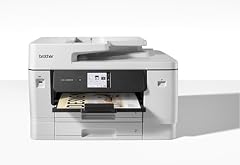
Brother Mfc-J6960Dw Multifunction Printer Inkjet A3 1200 X 4800
- Type
- Inkjet
- Prints, scans and copies
- Yes
- Wireless
- Yes
- Wide format
- Yes
$828.00 price as of 2026-10-05 20:55 UTC (Details)
The MFC-J6960DW is the wide-format inkjet all-in-one in this guide, with A3 support in its listed name and wireless plus scan and copy in its specs. It is the pick when you need oversized layouts without sending files to a print shop.
Pros
- A3 wide-format printing
- Wireless all-in-one with scan and copy
- Inkjet engine for oversized pages
- Multifunction design
Cons
- Duplex is not stated by the seller
- Fax is not stated by the seller
- No laser-based output
Good fit if
- Architects, designers, and students who print A3 documents
- Offices that occasionally need wide-format layouts
Skip if
- Users who only print letter-size documents
- Buyers who want toner-based printing
Verdict: The MFC-J6960DW is the Brother to choose when A3 and wide-format inkjet output are required.
14 Best ink tank all-in-one with automatic duplex

Brother INKvestment Tank 780 Wireless Color Inkjet All-in-One Printer
- Type
- Ink tank
- Color
- Color
- Prints, scans and copies
- Yes
- Wireless
- Yes
- Two-sided printing
- Yes
$379.99 price as of 2026-10-05 20:55 UTC (Details)
The Tank 780 is the INKvestment all-in-one in this guide that includes automatic duplex with wireless color printing. Its listing also mentions up to three years of ink in-box, which makes it the more convenient ink tank pick when two-sided printing is a requirement.
Pros
- Wireless color inkjet all-in-one
- Automatic duplex included
- Refillable ink tank system
- Up to three years of ink in-box stated in the listing
Cons
- Fax is not stated by the seller
- No A3 support
Good fit if
- Home offices that want duplex and low-intervention color printing
- Users who print two-sided color documents
Skip if
- Buyers who need a fax machine
- Offices that require wide-format output
Verdict: The Tank 780 is the ink tank Brother to choose when automatic duplex is a requirement.
Specifications side by side
How the picks were chosen
We pulled every Brother printer from the catalogue pool, 33 priced listings in total, and selected 14 distinct models for this guide. Selection rules were straightforward: include both laser and inkjet technologies, prefer models with stated wireless, duplex, all-in-one, fax, or wide-format capability, and avoid repeated versions of the same machine. Every pick is described from the listing's stated specifications and the maker's published marketing copy; no machine was tested, measured, or benchmarked. The live prices you see beside each pick are read directly from the store listing at the time the page loads, so they can change.
Picking the right one for you
Laser or inkjet: start with the print engine
Brother's catalogue here splits between toner-based laser models and liquid-ink inkjet models. Monochrome laser printers such as the HL-L2460DW and MFC-L2820DW are a natural fit for text-heavy documents, while color inkjet all-in-ones like the Work Smart 1360 and INKvestment tank models suit households that mix documents and color pages. If you mainly print text, choose laser; if color volume is high and refillable tanks appeal to you, the ink tank models in this guide are the options to compare.
All-in-one or print-only
All-in-one models add scanning, copying, and sometimes faxing to printing. The MFC-L2820DW, MFC-L3720CDW, MFC-J4355DW, and the professional high-speed model are the all-in-one entries in this list, while the HL-L2460DW and HL-L3280CDW are print-only. Choose print-only if you already have a scanner or copier; choose all-in-one if you want one device for several office tasks.
Duplex, wireless, and network basics
Automatic duplex means the printer turns pages over for two-sided printing without you feeding paper back. Every pick in this guide either includes duplex in its listed specs or has it called out as a limitation. Wireless lets phones, tablets, and laptops send jobs without a cable; some models also list Ethernet for a wired office network. Before buying, confirm which modes you need, because a fast mono laser like the HL-L5210DN may not list wireless while the HL-L3280CDW includes Ethernet.
Mobile and driverless printing standards
Modern printers increasingly support IPP Everywhere, a PWG standard that allows computers and mobile devices to find and print to networked and USB printers without vendor-specific software. The PWG notes that 98 percent of printers sold today support IPP/2.0 and DNS-SD. Mopria certification is another sign that a printer works with Android, Windows, and other Mopria clients. If mobile printing matters, look for wireless connectivity and these standards in the maker's specifications.
Energy use and recycling
ENERGY STAR certified imaging equipment is third-party certified to use less energy when working and when idle, and the program's criteria require automatic duplexing for certain devices. Look for the ENERGY STAR mark if energy use is a factor. When an old printer reaches the end of its life, EPA recommends donating working equipment and recycling electronics rather than discarding them with regular trash; check local recycling programs for used electronics and batteries.
Questions
Which Brother printer is best for a home office?
For a monochrome home office, the MFC-L2820DW is the strongest pick because it combines wireless, automatic duplex, fax, and print, scan, and copy in one compact laser unit. If you need color documents more often, move to the MFC-L3720CDW color laser all-in-one.
What does automatic duplex mean?
Automatic duplex means the printer can print on both sides of a sheet without manual flipping. It saves paper and is a required feature of ENERGY STAR certified imaging equipment under current criteria. Several picks in this guide, including the MFC-L2820DW and HL-L2460DW, list automatic duplex in their specifications.
Are Brother printers good for mobile printing?
Most current printers support standards such as IPP Everywhere and Mopria, which let phones and computers print without vendor-specific software. For mobile printing, choose a Brother model with wireless listed, such as the HL-L2460DW or MFC-L3720CDW. Confirm the model's wireless and standard support in the specifications before buying.
Should I choose laser or inkjet for color?
Color laser models like the MFC-L3720CDW use toner and are generally suited to office documents, while inkjet and ink tank models like the INKvestment Tank 580 are designed for color pages and photos. The choice depends on page volume, color use, and whether you prefer toner or liquid ink. Both approaches appear in this guide.
What should I do with an old Brother printer?
EPA suggests donating working electronics and recycling used electronics rather than putting them in the trash. Some local programs accept printers and batteries separately. Before recycling, remove any ink or toner cartridges and check your municipality's electronics recycling rules.
Revision notes
- : First published.