
Best Color Printers in 2026: 14 Picks Compared on Specs
For most homes, the Brother Work Smart 1360 is the best color printer to start with: it is an inkjet all-in-one with wireless, duplex printing, and a built-in scanner. To build this list, we compared 162 color printers on their stated specifications, focusing on print technology, connectivity, and paper handling. We did not test these units; prices shown are live from the listing at the time of writing.
14 picks from 162 printers that match this guide with a price we can quote today, made by 18 makers. The prices below are current and each carries its read time.
Quick picks
The best fit for you
- For general home use: If you need one device for printing, scanning, and copying with wireless and duplex, the Brother Work Smart 1360 covers everything without extra cost. See pick 1
- For high-volume printing at low cost: The Epson EcoTank ET-2800 uses refillable ink tanks, so you print many pages without cartridge changes; perfect for homework and family projects. See pick 2
- For photo printing: The Canon SELPHY CP1500 is a dedicated photo printer with wireless connectivity, making it easy to print snapshots directly from your phone. See pick 3
- For a busy home office: The Xerox C235dni combines laser speed, wireless, and all-in-one functions, ideal for frequent printing and scanning in a small office. See pick 4
Our 14 picks
1 Best overall

Brother Work Smart 1360 Wireless Color Inkjet All-in-One Printer
- Type
- Inkjet
- Color
- Color
- Prints, scans and copies
- Yes
- Wireless
- Yes
- Two-sided printing
- Yes
$69.99 price as of 2026-10-06 04:59 UTC (Details)
This Brother inkjet offers the full package: printing, scanning, copying, wireless, and automatic duplexing in a compact body. It is the only pick in this list that combines all those features at a single price point that suits most households.
Pros
- Wireless and Ethernet for flexible connectivity
- Automatic duplex printing saves paper
- All-in-one: print, scan, and copy
- Compact design fits on a desk
Cons
- Inkjet print head may need cleaning over time
- No fax function
Good fit if
- Home users who need a versatile all-in-one
- Small offices with light to moderate printing
Skip if
- You need a fax machine
- You print very high volumes and want a laser
Verdict: The best overall color printer for most people: a capable all-in-one inkjet with duplex and wireless at a sensible size.
2 Best ink tank all-in-one

Epson EcoTank ET-2800 Wireless Color All-in-One Supertank Printer
- Type
- Ink tank
- Color
- Color
- Prints, scans and copies
- Yes
- Wireless
- Yes
$189.99 price as of 2026-10-05 20:56 UTC (Details)
The EcoTank ET-2800 uses refillable ink tanks instead of cartridges, dramatically reducing the cost per page. It still provides wireless and all-in-one functions, making it a strong choice for high-volume home or small office use.
Pros
- Refillable ink tank system lowers ongoing costs
- Wireless and Wi-Fi Direct for easy setup
- All-in-one: print, scan, and copy
- Includes enough ink for years of printing
Cons
- Slower print speed than laser models
- No duplex printing (manual only)
Good fit if
- Users who print many pages monthly
- Budget-conscious households wanting low running costs
Skip if
- You need automatic duplexing
- You prefer cartridge-based printers for simplicity
Verdict: The best ink tank all-in-one for those who print a lot and want to spend less on supplies.
3 Best dedicated photo printer

Canon Selphy CP1500 Wireless Compact Photo Printer
- Type
- Photo
- Color
- Color
- Wireless
- Yes
$169.99 price as of 2026-10-06 05:01 UTC (Details)
The Canon SELPHY CP1500 is a compact dye-sublimation printer that delivers borderless 4x6 photos with a protective coating. It connects wirelessly and includes an ink/paper set, so you can start printing immediately.
Pros
- Produces durable, smudge-resistant photos
- Wireless printing from smartphones and tablets
- Compact and portable for travel
- Includes a high-capacity ink/paper set
Cons
- Limited to small photo sizes (up to 4x6)
- No document printing or scanning
Good fit if
- Photographers who want instant prints
- People who prefer physical memories without a full printer
Skip if
- You also need to print documents
- You print larger than 4x6
Verdict: The best dedicated photo printer for sharp, long-lasting snapshots you can print from your phone.
4 Best laser all-in-one

Xerox C235dni Wireless Color Laser All-in-One Printer
- Type
- Laser
- Color
- Color
- Prints, scans and copies
- Yes
- Wireless
- Yes
$449.99 price as of 2026-10-05 20:57 UTC (Details)
The Xerox C235dni combines laser output with a scanner and copier, plus wireless and Ethernet. It is a dependable choice for offices that need fast, crisp color documents and a single device for multiple tasks.
Pros
- Laser prints are fast and sharp
- All-in-one: print, scan, and copy
- Wireless and wired network options
- Automatic duplex printing standard
Cons
- Initial cost is higher than inkjet
- Toner replacements are more expensive
Good fit if
- Small businesses with regular color printing
- Home offices that need reliability and speed
Skip if
- Your budget is very constrained
- You print mostly photos with high detail
Verdict: A solid laser all-in-one that balances speed, features, and connectivity for busy workspaces.
5 Best compact laser

Lexmark CS331dw Color Laser Printer with Ethernet
- Type
- Laser
- Color
- Color
- Wireless
- Yes
- Two-sided printing
- Yes
$289.99 price as of 2026-10-05 20:57 UTC (Details)
The Lexmark CS331dw is a single-function laser printer with automatic duplexing and wireless connectivity, ideal for desktops where space is limited but quality is not.
Pros
- Automatic duplex printing saves paper
- Wireless and Ethernet for flexible setup
- Compact footprint fits small desks
- Laser output is crisp and consistent
Cons
- No scan, copy, or fax functions
- Toner cost may be higher per page than ink tank
Good fit if
- Users who only need to print, not scan or copy
- Small offices with minimal space
Skip if
- You need an all-in-one machine
- You print very high volumes with frequent toner changes
Verdict: The best compact laser for straightforward, high-quality color printing without extra features.
6 Best all-in-one laser for small offices

Canon Color imageCLASS MF665Cdw
- Type
- Laser
- Color
- Color
- Prints, scans and copies
- Yes
- Wireless
- Yes
- Two-sided printing
- Yes
$389.99 price as of 2026-10-06 05:00 UTC (Details)
The Canon imageCLASS MF665Cdw is a wireless all-in-one laser with duplex printing, scanning, copying, and an automatic document feeder. It is built for offices that need to handle multiple tasks efficiently.
Pros
- All-in-one with ADF for multi-page scanning
- Duplex printing standard
- Wireless and Ethernet for network sharing
- Reliable laser output for documents
Cons
- Larger footprint than single-function lasers
- Toner replacement costs can add up
Good fit if
- Small offices that scan and copy regularly
- Teams that share a single device
Skip if
- You rarely scan or copy
- You have very limited desk space
Verdict: A thorough all-in-one laser that handles printing, scanning, and copying with ease for a growing office.
7 Best laser with fax

Brother MFC-L3720CDW Wireless Color Laser Printer
- Type
- Laser
- Color
- Color
- Prints, scans and copies
- Yes
- Wireless
- Yes
- Two-sided printing
- Yes
- Fax
- Yes
$459.99 price as of 2026-10-06 04:58 UTC (Details)
The Brother MFC-L3720CDW includes fax capabilities alongside wireless printing, scanning, copying, and duplex. It is a full suite for a home office that still relies on fax communication.
Pros
- Built-in fax, plus print, scan, and copy
- Automatic duplex printing
- Wireless and Ethernet connectivity
- 250-sheet paper capacity
Cons
- Fax function is less common but still useful
- Larger and heavier than inkjet counterparts
Good fit if
- Offices that send or receive faxes
- Users who want a single device for all office tasks
Skip if
- You never use fax
- You prefer a lighter, more compact printer
Verdict: The best laser all-in-one for offices that still need fax capability without sacrificing printing quality.
8 Best inkjet with fax
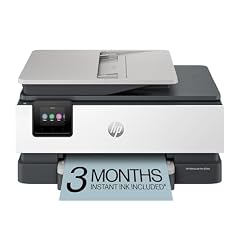
HP OfficeJet Pro 8135e Wireless All-in-One Color Inkjet Printer
- Type
- Inkjet
- Color
- Color
- Prints, scans and copies
- Yes
- Wireless
- Yes
- Two-sided printing
- Yes
- Fax
- Yes
$239.89 price as of 2026-10-05 20:57 UTC (Details)
The HP OfficeJet Pro 8135e is an inkjet all-in-one with fax, duplex printing, a document feeder, and wireless. It is a versatile choice for home offices that need reliable color output and occasional faxing.
Pros
- Fax, print, scan, and copy in one unit
- Automatic duplex printing
- ADF for multi-page documents
- Wireless and Wi-Fi Direct for mobile printing
Cons
- Ink costs can be higher than ink tank models
- Not as fast as laser for heavy workloads
Good fit if
- Home offices with fax needs
- Users who want a feature-rich all-in-one inkjet
Skip if
- You don't need fax
- You print at very high speeds
Verdict: A dependable inkjet all-in-one that adds fax and document handling to a capable printing core.
9 Best professional photo inkjet

Canon PIXMA PRO-200S Professional 13" Wireless Inkjet Photo Printer
- Type
- Inkjet
- Color
- Color
- Wireless
- Yes
$479.00 price as of 2026-10-06 05:01 UTC (Details)
The Canon PIXMA Pro-200s is a 13-inch wide-format inkjet designed for serious photography, with eight separate ink tanks for accurate color and smooth gradations. It connects wirelessly for easy mobile printing.
Pros
- Prints up to 13x19 inches for large photos
- Eight-color dye ink system for vivid prints
- Wireless and Ethernet connectivity
- High-resolution output for professional work
Cons
- Large and heavy, requiring dedicated space
- Ink costs are significant for high-volume use
Good fit if
- Photographers who need gallery-quality prints
- Artists and designers producing wide-format work
Skip if
- You only print small snapshots
- You have limited space or budget
Verdict: The best choice for photographers who want professional-grade large-format color prints from a reliable inkjet.
10 Best wide-format all-in-one
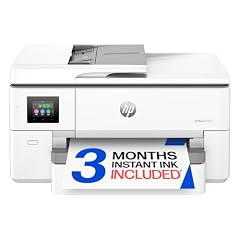
HP OfficeJet Pro 9720 Wide-Format Wireless All-in-One Color Inkjet
- Type
- Inkjet
- Color
- Color
- Prints, scans and copies
- Yes
- Wireless
- Yes
- Two-sided printing
- Yes
- Fax
- Yes
- Wide format
- Yes
$269.99 price as of 2026-10-05 20:57 UTC (Details)
The HP OfficeJet Pro 9720 prints up to 11x17 inches and includes scan, copy, fax, duplex, and a document feeder. It is the only wide-format all-in-one in this guide, suited for engineering plans or charts.
Pros
- Prints up to 11x17 inches (A3)
- All-in-one with fax, scan, and copy
- Automatic duplex printing
- Wireless and Ethernet for networking
Cons
- Large footprint takes up desk space
- Inkjet speed is slower than laser for text
Good fit if
- Offices that need large-format documents
- Architects, designers, and educators
Skip if
- You rarely print larger than letter size
- You need a compact printer
Verdict: The only wide-format all-in-one here, giving you the flexibility to print plans and posters alongside standard documents.
11 Best all-in-one laser for shared offices

HP Color LaserJet Pro MFP 3301fdw Wireless All-in-One Color Laser
- Type
- Laser
- Color
- Color
- Prints, scans and copies
- Yes
- Wireless
- Yes
- Two-sided printing
- Yes
- Fax
- Yes
$539.00 price as of 2026-10-05 20:56 UTC (Details)
The HP Color LaserJet Pro MFP 3301fdw combines printing, scanning, copying, and faxing with a 50-sheet auto document feeder and wireless. It is built for teams that share a single device for high-volume work.
Pros
- High-speed laser printing
- Automatic document feeder for multi-page scanning
- Duplex printing and copying
- Wireless and Ethernet for network sharing
Cons
- Premium price point
- Toner cartridges are expensive to replace
Good fit if
- Small businesses with heavy printing needs
- Teams that rely on scanning and faxing
Skip if
- You have a tight budget
- You only need occasional printing
Verdict: A robust all-in-one laser that handles daily office tasks with speed and reliability.
12 Best inkjet for family multitasking
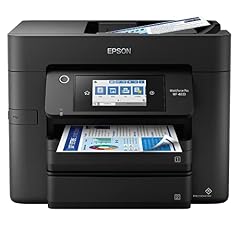
Epson Workforce Pro WF-4833 Wireless All-in-One Color Inkjet Printer
- Type
- Inkjet
- Color
- Color
- Prints, scans and copies
- Yes
- Wireless
- Yes
- Two-sided printing
- Yes
- Fax
- Yes
$186.00 price as of 2026-10-05 20:56 UTC (Details)
The Epson WorkForce Pro WF-4833 is a fast inkjet all-in-one with duplex, fax, and a 35-page ADF. It is versatile enough for school projects, home office paperwork, and occasional photo prints.
Pros
- Duplex printing and copying
- 35-page auto document feeder
- Fax included
- Wireless and Wi-Fi Direct for mobile printing
Cons
- Ink cartridges can be costly
- Print speed slower than laser for high volumes
Good fit if
- Families with students and remote work
- Users who need fax and scan without a dedicated office
Skip if
- You print exclusively photos
- You need wide-format output
Verdict: A well-rounded inkjet all-in-one that covers the needs of a busy household or small office.
13 Best compact inkjet all-in-one

Canon PIXMA TR4720 All-in-One Wireless Color Inkjet Printer
- Type
- Inkjet
- Color
- Color
- Prints, scans and copies
- Yes
- Wireless
- Yes
- Two-sided printing
- Yes
- Fax
- Yes
$73.54 price as of 2026-10-06 05:01 UTC (Details)
The Canon PIXMA TR4720 is a space-saving inkjet that still offers wireless, duplex, scan, copy, and fax. It is ideal for dorm rooms or small home offices where every inch counts.
Pros
- Compact footprint for small spaces
- Automatic duplex printing
- Fax, scan, and copy functions
- Wireless and USB connectivity
Cons
- Smaller ink cartridges may need frequent replacement
- No auto document feeder
Good fit if
- Students and renters with limited space
- Users who want fax without a large machine
Skip if
- You need an ADF for multi-page scanning
- You print high volumes daily
Verdict: The best compact all-in-one for tight spaces that still delivers the essentials: print, scan, copy, and fax.
14 Best ink tank for small offices

Brother INKvestment Tank 580 Wireless Color Inkjet All-in-One Printer
- Type
- Ink tank
- Color
- Color
- Prints, scans and copies
- Yes
- Wireless
- Yes
$239.99 price as of 2026-10-06 04:58 UTC (Details)
The Brother INKvestment Tank 580 is an ink tank all-in-one that prints, scans, and copies wirelessly. It is designed for offices that want low running costs without sacrificing convenience.
Pros
- Refillable ink tank system reduces cost per page
- All-in-one with print, scan, and copy
- Wireless and Ethernet for office use
- Duplex printing (automatic two-sided)
Cons
- Slower than laser for large jobs
- Ink tank refilling can be messy if not careful
Good fit if
- Small offices with moderate print volume
- Businesses that want to minimize supply expenses
Skip if
- You need fax capability
- You require very high-speed output
Verdict: A practical ink tank all-in-one that lowers the cost per page for small offices without giving up essential features.
Specifications side by side
How the picks were chosen
We started with a pool of 162 color printers from the catalogue, then filtered by essential features such as wireless connectivity, all-in-one capability, automatic duplexing, and print technology (inkjet, laser, ink tank, or photo). After removing near-duplicates and models with missing key specs, we kept 14 printers that cover different use cases: home, office, photo, wide format, and high volume. Each pick is based on the seller's published specifications and the maker's own documentation. We did not test any unit, and prices are read live from the listings and update automatically.
Picking the right one for you
Inkjet vs. laser: which technology fits?
Inkjet printers spray liquid ink onto paper, producing smooth color and good photo quality. They tend to be cheaper up front and handle a variety of media. Laser printers use toner powder fused with heat, delivering faster text output and sharper edges. If you print mostly documents, a color laser can be a better fit; if you print photos or art, an inkjet is often preferred. Consider your primary output and whether you need to scan or copy as well.
Ink tank vs. cartridge: what changes the cost?
Cartridge-based printers are common but can require frequent replacements. Ink tank models (like EcoTank or MegaTank) come with refillable bottles, lowering the cost per page significantly. If you print hundreds of pages each month, the initial higher price of an ink tank model is often offset by savings on ink. Check the stated page yield and ink prices before deciding.
All-in-one or single function?
An all-in-one printer combines printing, scanning, and copying, and often faxing. This saves space and reduces cost compared to buying separate devices. If you already have a scanner or rarely need copies, a single-function printer may be lighter and cheaper. For most homes, an all-in-one is the most practical choice.
Wireless and mobile printing
Most modern printers support Wi-Fi, allowing you to print from laptops, phones, and tablets. Standards like IPP Everywhere and Mopria make it possible to print without installing vendor-specific drivers on many devices. Look for wireless or Wi-Fi Direct if you plan to print from mobile devices. Ethernet is useful for stable office networks.
Paper handling and duplexing
Automatic duplex printing (two-sided) saves paper and is an energy-saving feature recognized by ENERGY STAR criteria. A document feeder (ADF) on all-in-one models speeds up scanning or copying multi-page documents. Consider the paper tray capacity as well; larger trays reduce the need for frequent refills.
Energy efficiency and environmental impact
ENERGY STAR certified imaging equipment is designed to consume less power during operation and in sleep mode. The EPA also encourages recycling used electronics and cartridges. Choosing a model with duplex printing and power management features can cut both energy use and paper waste. For eco-conscious buyers, these factors are worth checking.
Questions
What is the difference between color laser and color inkjet printers?
Color laser printers use toner powder and a heated fuser, producing fast, sharp text and graphics. They are ideal for high-volume office printing. Inkjet printers spray liquid ink, giving smoother color gradients and better photo quality. Inkjets are often cheaper but slower for large text documents. Choose laser for speed and reliability in text, inkjet for photos and color-rich prints.
How do I print wirelessly from my phone or tablet?
Most modern printers support Wi-Fi, and many are compatible with standards like IPP Everywhere or Mopria, allowing direct printing from Android, iOS, and Windows devices without extra apps. You can often print from your phone using the manufacturer's app or through the system print menu. Check the printer's specifications for Wi-Fi Direct or AirPrint support.
What is an ink tank printer and why is it cheaper to run?
An ink tank printer uses refillable ink reservoirs instead of cartridges. You pour ink from bottles into the tanks, which typically hold much more ink than a cartridge. This reduces the cost per page substantially. Models like the Epson EcoTank or Brother INKvestment are designed for users who print a lot and want to minimize supply expenses.
Do I need an all-in-one printer?
An all-in-one combines printing, scanning, copying, and often faxing into one device. It saves space and can be more convenient than buying separate machines. If you regularly need to copy documents or scan papers, an all-in-one is worth the extra cost. If you only print, a single-function printer can be cheaper and more compact.
How do I know if a printer is energy efficient?
Look for ENERGY STAR certification on the printer's packaging or specifications. ENERGY STAR certified imaging equipment meets strict energy efficiency criteria set by the U.S. EPA, often featuring automatic duplexing and low standby power. Choosing such a model helps reduce electricity use and running costs.
Revision notes
- : First published.